What does the ProProfs Retail Lightspeed integration do?−
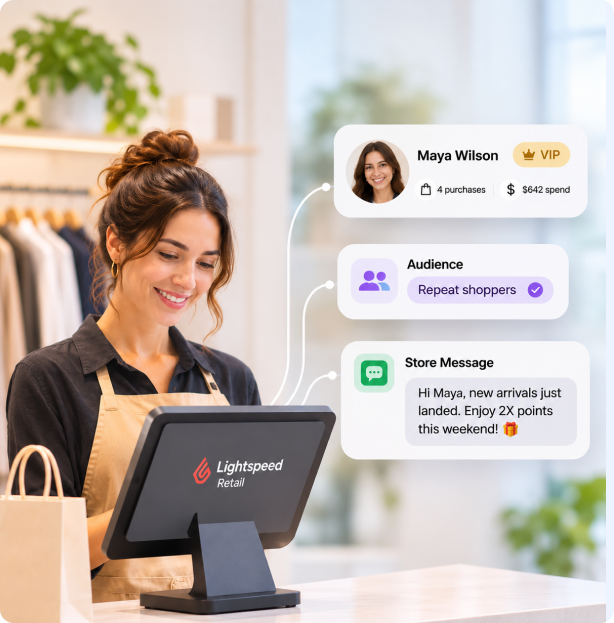
It connects Lightspeed Retail to loyalty, texts, email, and customer history. Your team keeps using Lightspeed for sales and your existing checkout. ProProfs Retail brings recent purchase history into customer profiles and campaign audiences. You can pair rewards with welcome, birthday, and win-back messages, and see purchases and spend by message recipients within your selected attribution window.
Who is the Lightspeed integration best for?+
It is built for independent, multi-location, and franchise specialty stores that run on Lightspeed Retail. It suits owners who want loyalty, targeted texts and email, and personal follow-up added around the checkout they already use. We do the setup with you, prepare your branded templates, and train your team.
Does it work with Lightspeed R-Series and X-Series?+
Yes, ProProfs Retail works with both Lightspeed Retail R-Series and X-Series. X-Series is the new name for Vend. Each series has its own connection page, so your team starts with the correct setup. This page covers R-Series.
Does it work with Lightspeed S-Series (ShopKeep) or Lightspeed eCom?+
Not today. ProProfs Retail connects to Lightspeed Retail R-Series and X-Series, and S-Series and eCom aren’t on our list of connections. We do offer to connect any POS that isn’t listed for free, so ask about it on a demo.
Lightspeed’s built-in loyalty vs ProProfs Retail: what’s the difference?+
A built-in loyalty program is a good start, but it’s points only. With no messages behind it, customers redeem when they happen to come in, rather than being brought back. ProProfs Retail adds loyalty tiers, automated welcome, birthday, and win-back texts and emails, and audiences built from purchase history, like brand buyers, VIPs, and lapsed customers. It also adds clienteling, so your team sees history, preferences, and notes before they contact a regular. Our team reviews your existing rewards setup as part of the rollout.
How do customers earn and redeem points at the Lightspeed register?+
Customers earn and redeem points at the register while your team keeps ringing sales in Lightspeed. Cashiers see rewards on the ticket, and every purchase lands in the customer’s profile. During setup, we train your team on the steps for your Lightspeed series.
How often does Lightspeed sync with ProProfs Retail?+
For Lightspeed Retail R-Series, customer and purchase records update automatically through scheduled API checks, generally hourly. Your campaign audiences use the purchase history available from those updates. X-Series sync timing is on its own connection page.
Can I switch from Lightspeed Loyalty, Marsello or another loyalty app?+
Yes. We help import your customer list, review your current rewards setup, and plan the switch with you.
Can I use this across several stores?+
Yes. Head office can support shared templates & selected-store campaigns, while local teams use customer history for relevant personal follow-up.
How long does the Lightspeed integration take to set up?+
Our team connects it with you, and we connect your POS for free. There are three steps. First, we review your store connection. Second, we bring in your customer records, review your loyalty rules, and prepare branded campaign templates. Third, we train your team and launch your first campaign with hands-on support. Texting also needs business-number registration and customer opt-in capture, and business texting approval takes additional time.
Can I start before the store connection is active?+
Yes. Import your customer list & prepare campaigns first. Purchase-based audiences use the connected history once data begins flowing in.
How much does the Lightspeed integration cost?+
Pricing depends on your store, so we share it on a 15-min demo. We’ll connect your POS for free, and we do the setup and train your team.
Get a 15-min FREE Demo to see what fits.