Loyalty & Marketing for Garden and Floral Retail

Bring Gardeners Back for the Next Growing Season

Stay useful through every growing season with loyalty, project notes & relevant follow-up

We help connect your POS and prepare your initial setup.
Loyalty & Marketing for Garden and Floral Retail

Keep Seasonal Shoppers Connected After the Rush

  • ✓ Spring bedding plants, a houseplant purchase and an anniversary bouquet bring customers in for different reasons
  • ✓ Once the busy period passes, the next visit needs a relevant invitation
  • ✓ Use purchase categories, customer notes and planned campaigns to keep your store in the conversation throughout the year

Make Seasonal Advice Relevant to Past Purchases

Make Seasonal Advice Relevant to Past Purchases

  • Select customer groups by purchased categories and prepare useful seasonal messages
  • Your team chooses the timing and content for the local growing conditions
Example

Invite previous container-gardening buyers to explore fall color.
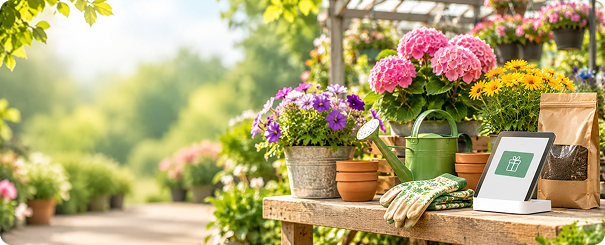
Bring Plant Buyers Back for the Next Project

Bring Plant Buyers Back for the Next Project

  • Use customer history to connect a first purchase with later supplies and ideas
  • Staff can follow up personally about the project the shopper described
Example

Set a staff reminder after a customer discusses refreshing a patio garden.

Give Workshops the Right Audience for Your Topic

Give Workshops the Right Audience for Your Topic

  • Invite customers interested in a relevant category to a class or demonstration
  • Keep workshop arrangements in your existing process
Example

Promote a wreath-making event to an appropriate opted-in audience.
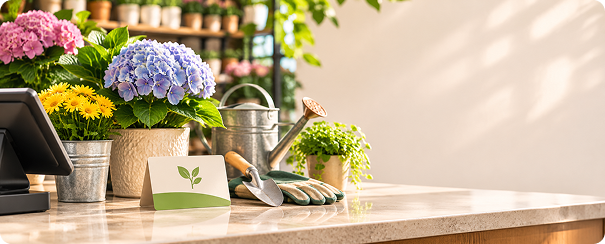
Keep Occasion Notes Useful for Floral Customers

Keep Occasion Notes Useful for Floral Customers

  • Save details a customer chooses to share and set staff follow-up reminders
  • Make the next gift conversation more informed
Example

Note an upcoming anniversary when a customer asks for help choosing flowers.

Stay Useful Through the Seasons

01
Seasonal Project

Choose a relevant past-purchase audience.

02
Workshop

Invite customers interested in the topic.

03
Occasion Follow-Up

Use staff reminders for customer-shared plans.

04
Win-Back

Reconnect on a timetable that fits your store’s seasonality.

Reward the Next Project With Store Loyalty

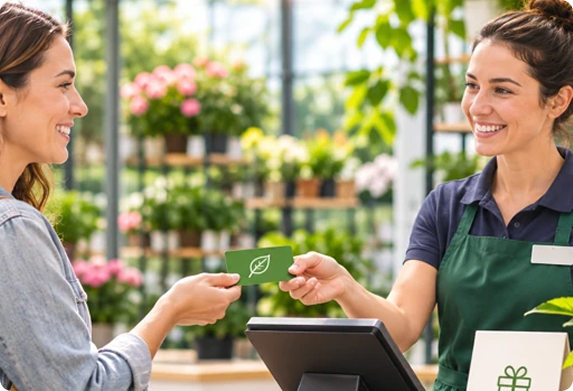
  • ✓Give shoppers a branded way to join, earn on eligible purchases and use rewards under your rules
  • ✓We help prepare the program and initial follow-up while your existing POS records each sale
  • ✓We configure the program, prepare initial campaigns and train your team
Explore Retail Loyalty Software →
Reward the Next Project

See Who Returned After Your Seasonal Campaign

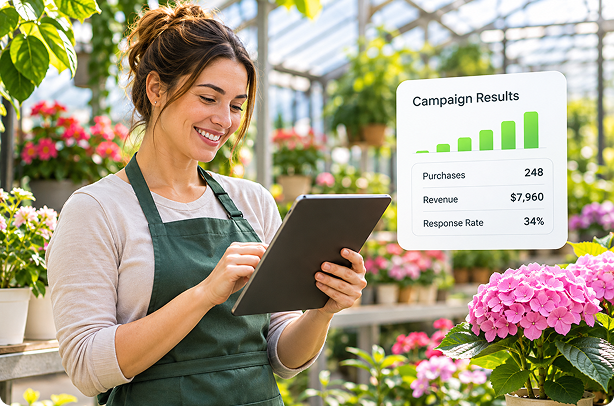
  • ✓Review purchases by message recipients in a selected window
  • ✓Compare category spending after a workshop invitation, seasonal project message or win-back campaign
  • ✓Use customer response to plan the next campaign
  • ✓Choose timing that reflects your region and store calendar rather than assuming every customer gardens on the same schedule
Explore Customer Profiles →
See Who Shopped

Get Your Store Ready With Guided Setup

01

Connect your POS and prepare your customer data

02

Set up your loyalty program, branded templates and initial campaigns

03

Train staff to enroll shoppers, redeem rewards and follow up

  • Onboarding typically takes about a week
  • For multiple stores, we coordinate launch around participating locations
  • We connect your POS for free during onboarding and set up your initial campaigns
  • If your POS isn't listed, we'll connect it for free

FAQs

Does ProProfs Retail Integrate With My POS?−
Yes. ProProfs Retail connects with Heartland Retail, Shopify, Lightspeed, Retail Pro, Counterpoint, Celerant, Clover via Factor4, Teamwork Commerce, NewStore, Smyth, Runit, NetSuite and BigCommerce. We also connect with popular marketing platforms such as Mailchimp and Klaviyo, and can help connect other marketing tools you already use. Your purchase history powers loyalty, automated marketing, and relevant customer follow-ups while you keep your existing checkout. Don't see your POS listed? We'll connect it for free. Our team handles the integration during onboarding and helps set up your initial campaigns.
How Does the Loyalty Program Work?+
Customers join through your signup form or checkout enrollment process, earn points through purchases or visits, and redeem eligible rewards under your program’s rules. Your staff can view available rewards during checkout. We also set up messages that encourage another visit, such as a welcome offer, birthday reward or win-back message. We configure the program and train your team.
Can You Migrate My Customer Data and Loyalty Program?+
Yes. We help move your customer records and existing loyalty balances into ProProfs Retail, so you can continue recognizing and rewarding your customers. Imports can include contact details, birthdays, anniversaries, tags, notes and loyalty points. We prepare the import with you, check the records and help clean up duplicates before launch.
Can Marketing Run Automatically While I’m Busy?+
Yes. We set up your initial automated campaigns for you, so marketing keeps running while you serve customers. These can welcome a first-time shopper, send a birthday offer, check in after a purchase or reconnect with someone who hasn’t visited recently. We prepare the messages, timing and rewards with you and show your team how to review the results.
How Long Does Setup Take, and Will You Train My Team?+
Onboarding typically takes about a week. We connect your POS, help import customer records, configure your loyalty program and prepare branded templates and initial campaigns. We also train your staff to enroll shoppers, redeem rewards and follow up with customers. For a franchise or multi-store rollout, we coordinate the launch around the participating locations.
How Can I Measure Results and Calculate ROI?+
Campaign reports show message delivery, engagement, subsequent customer purchases and sales within your chosen reporting window. For a weekend promotion, you can review which recipients purchased during the event and how much they spent. You can also filter results by product, brand or category. To assess financial ROI, compare additional gross profit with software, messaging and reward costs.
Do I Still Need Mailchimp or Another Email Tool?+
No. You can create and send retail email and SMS campaigns directly in ProProfs Retail, using its email designer, reusable templates, customer segments and automated messages. This brings email, SMS, loyalty and purchase-based targeting into one workflow. We can migrate your Mailchimp subscribers and subscription preferences, so you can move those campaigns into ProProfs Retail rather than maintain a separate tool for the same work.

Make Your Store Part of the Next Growing Season

See how loyalty and relevant follow-up fit your gardeners, plant buyers and floral customers.

Get a 15-min FREE Demo

We help connect your POS and prepare your initial setup.